
Omer Malik
Senior Product Designer
10+ years designing for users in complex systems.
B2B enterprise systems + high-stakes operations
Translating technical needs to UC design solutions
End-to-end design and workflow optimization
Implementing AI x Human interaction



About Ringcentral's Admin Portal
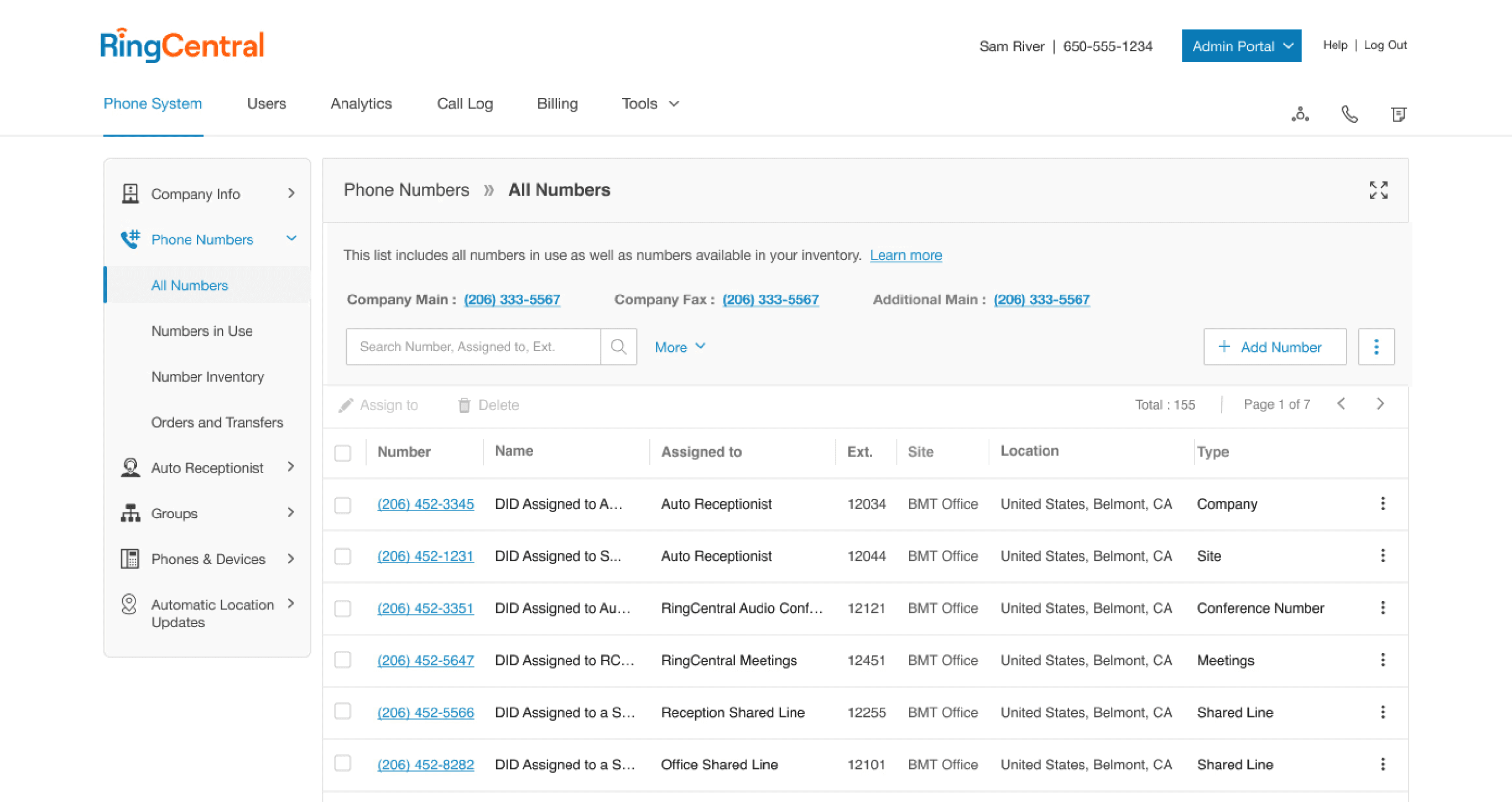
System Type
Enterprise communication management platform.
Features
Phone numbers, call queues, auto receptionists, emergency routing, user roles.
Users
IT administrators managing company-wide infrastructure.
AI-Assisted Conflict Detection Banner
What it is
why it was successful

Design Approach
UX strategies and frameworks for measurable solutions
Human x AI
How I think about Human × AI interaction
Collaboration
How I work with engineers
Constraints
How I design within constraints: incomplete data coverage, latency, legacy architecture
Problem
After a major update, the system didn't have a layer to inform users of phone number dependencies across the system.
Reassigning numbers
barage of tickets
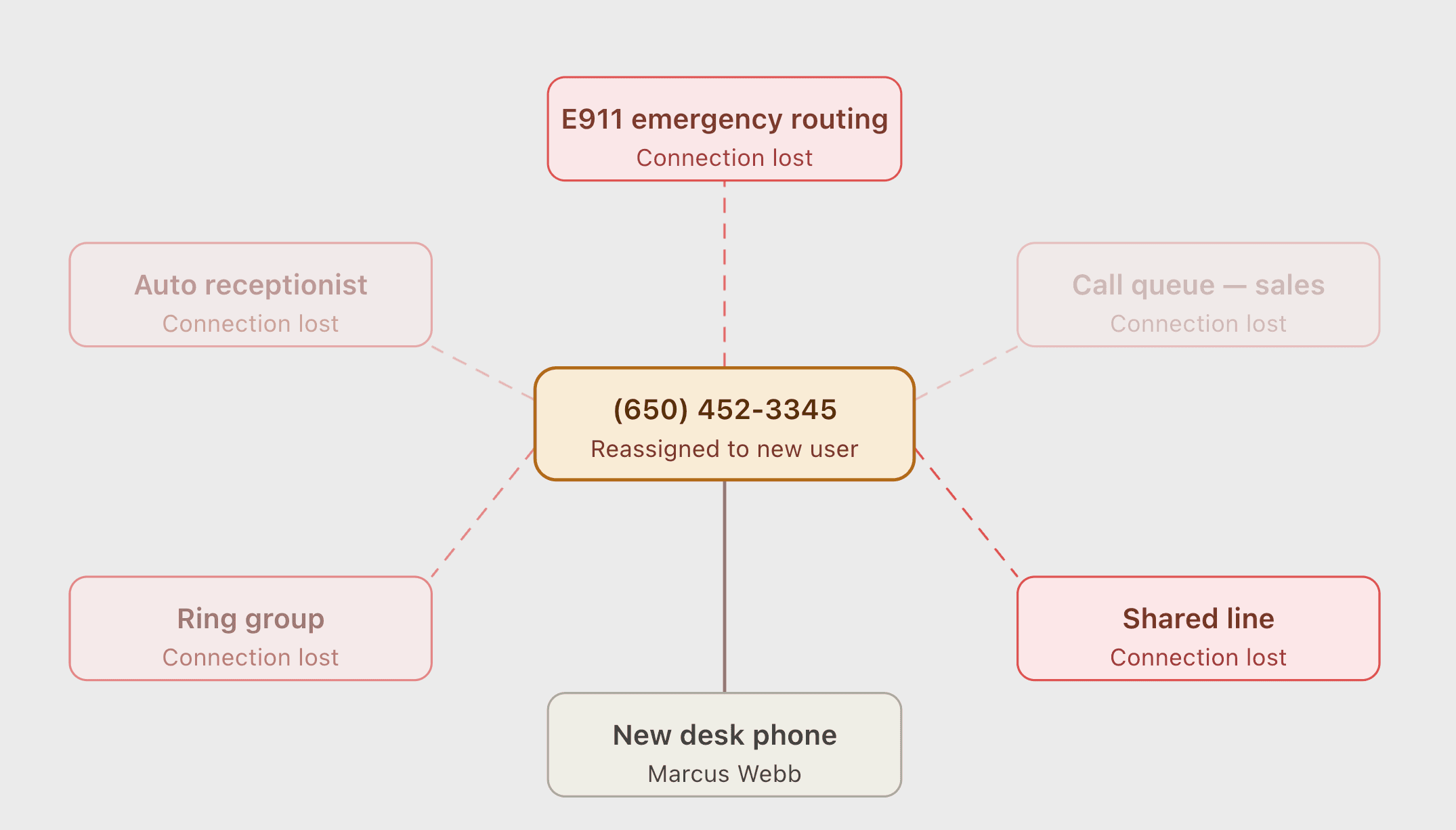
Diving Deeper into the Problem
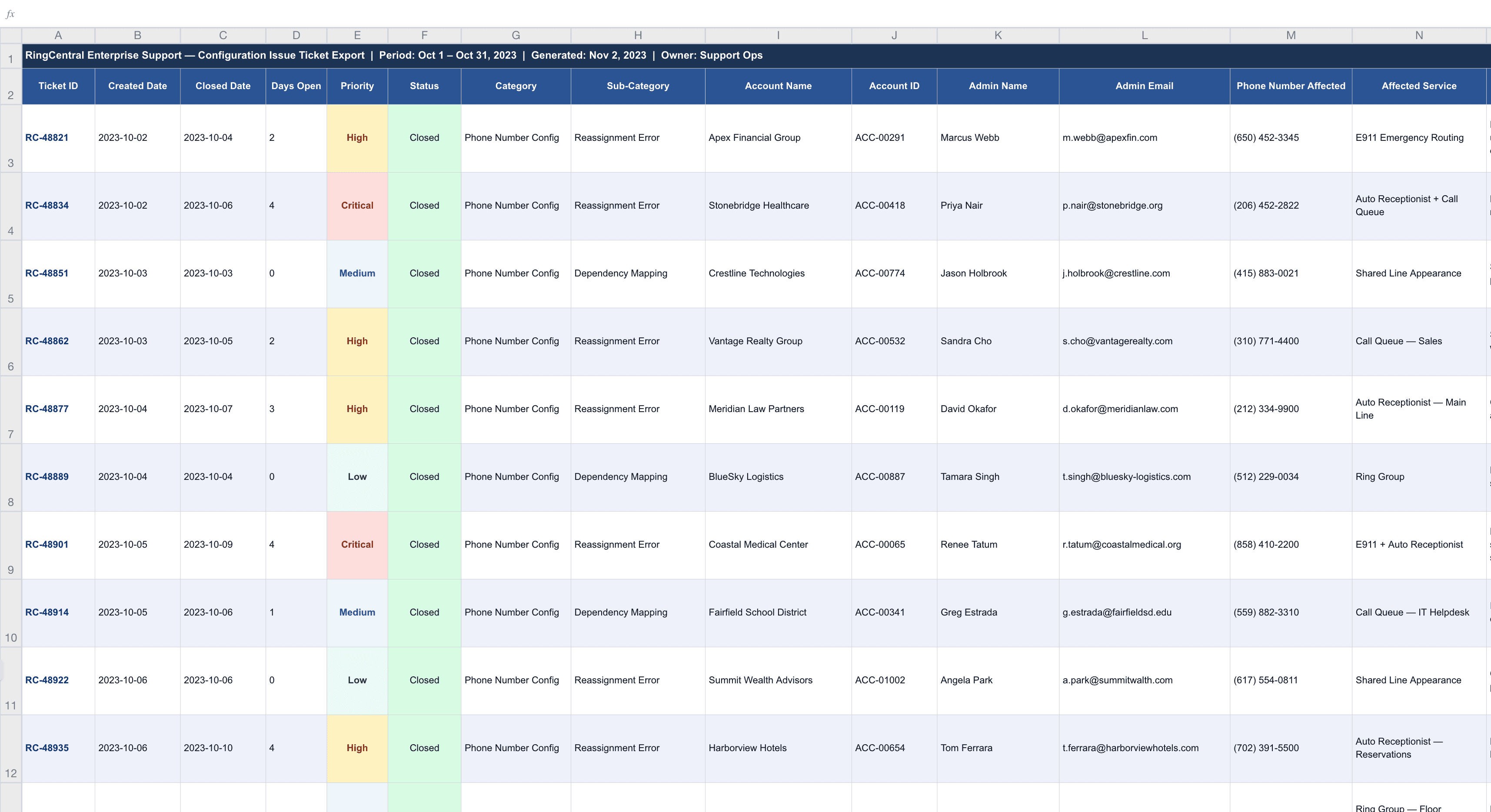
Support ticket audit
A structured audit traced the majority of configuration failures to phone number reassignment.
Admin interviews
Direct sessions with administrators confirmed:
- They had no awareness of dependency relationships during reassignment.
- They had no in-context signal when a misconfiguration occurred
- And when something broke, they had no immediate way to identify or fix the source.
The Admin
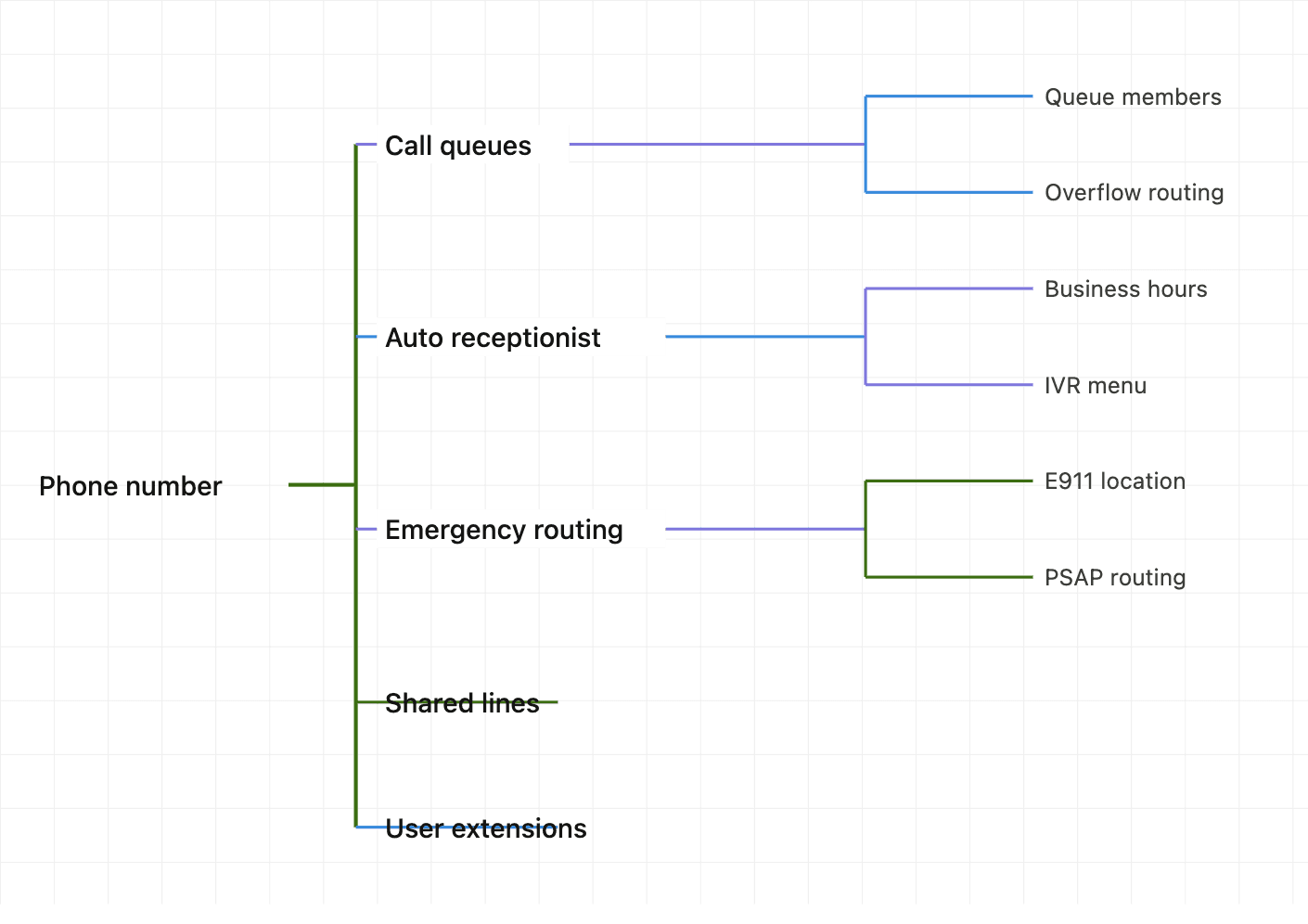
Shared lines
User Extensions
Phone number
Silent failure, delayed discovery
No immediate way to fix it
Alignment with the Team
Those findings went to the PM and three engineers.
Success metrics: Increase engagement rate, reduce support tickets (task success).
The alignment that came out of that session defined the design challenge:
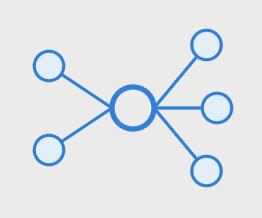
Visibility
1. Admins needed to know what each number was mapped to.

Alert
2. If a misconfiguration was about to occur, they needed to be notified before it happened.
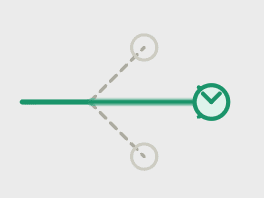
Fix
3. When a conflict was flagged, they needed a clear path forward
Engineering Collaboration
Engineering came in with a capability, not a requirement. The dependency graph existed. The system could run a pre-commit conflict check.
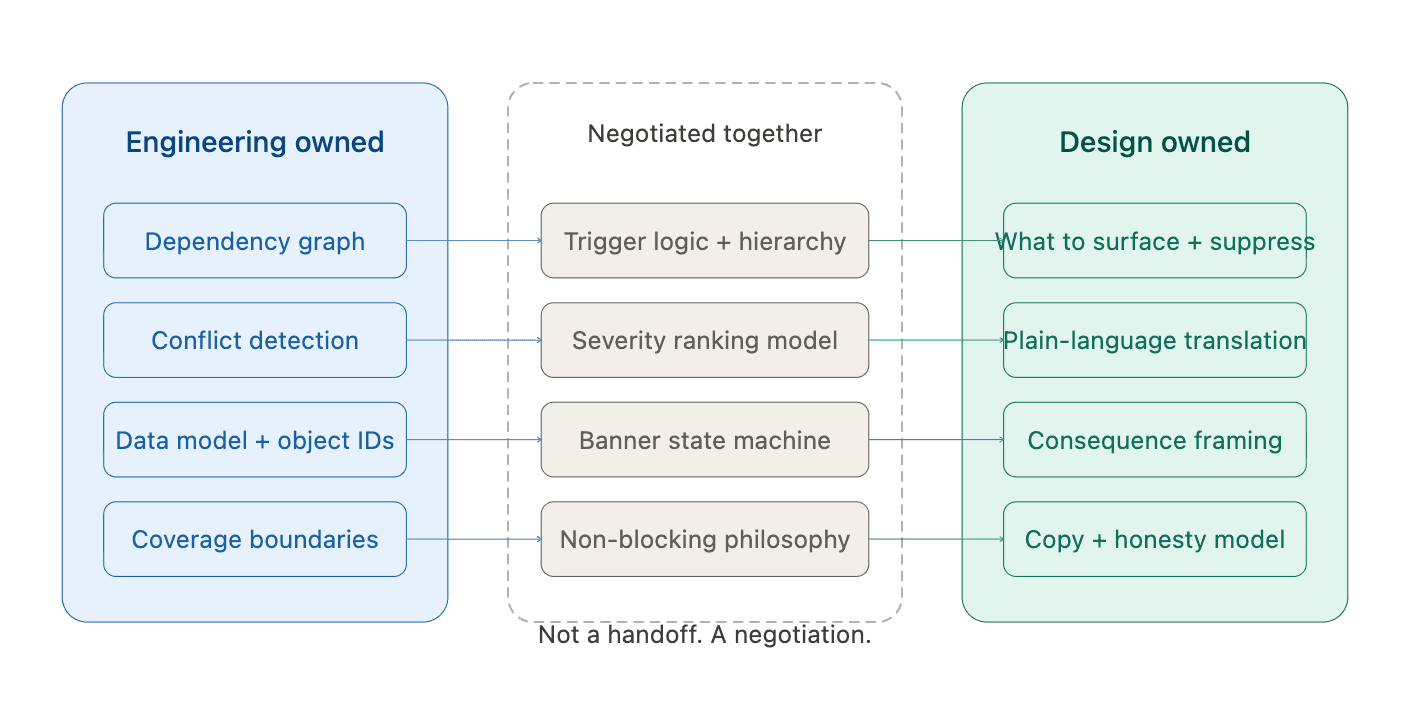
What to surface
Plain-language
Constraint 1 — Detection without evaluation
Engineering could detect every dependency connection but had no way to rank them.
UX Approach: Working sessions with engineering to create the trigger logic.
I built it from operational knowledge and handed it back to engineering to wire into the detection logic.
Constraint 2 — System data with no human translation
The system stored dependency relationships as internal object IDs, strings that mean something to a database and nothing to a person. There was no layer that converted system state into operational consequence.
UX Approach: I owned the communication layer entirely. Every conflict message had to be written as a deliberate translation.Taking what the system knew and converting it into what an admin needed to hear at the moment of action.
Constraint 3 — Incomplete coverage across legacy configurations
Not all dependency relationships were fully mapped. Legacy configurations had gaps the system couldn't see. This meant the detection couldn't speak with certainty.
UX Approach: This constraint shaped the entire design philosophy rather than a single decision. I designed the system to be honest about its own limitations.
First Design
With the infrastructure established, I had what I needed to design against. The detection logic was defined. The severity hierarchy existed. The communication layer had a framework. The first design attempt was a three-part intervention built to address all three research requirements simultaneously.
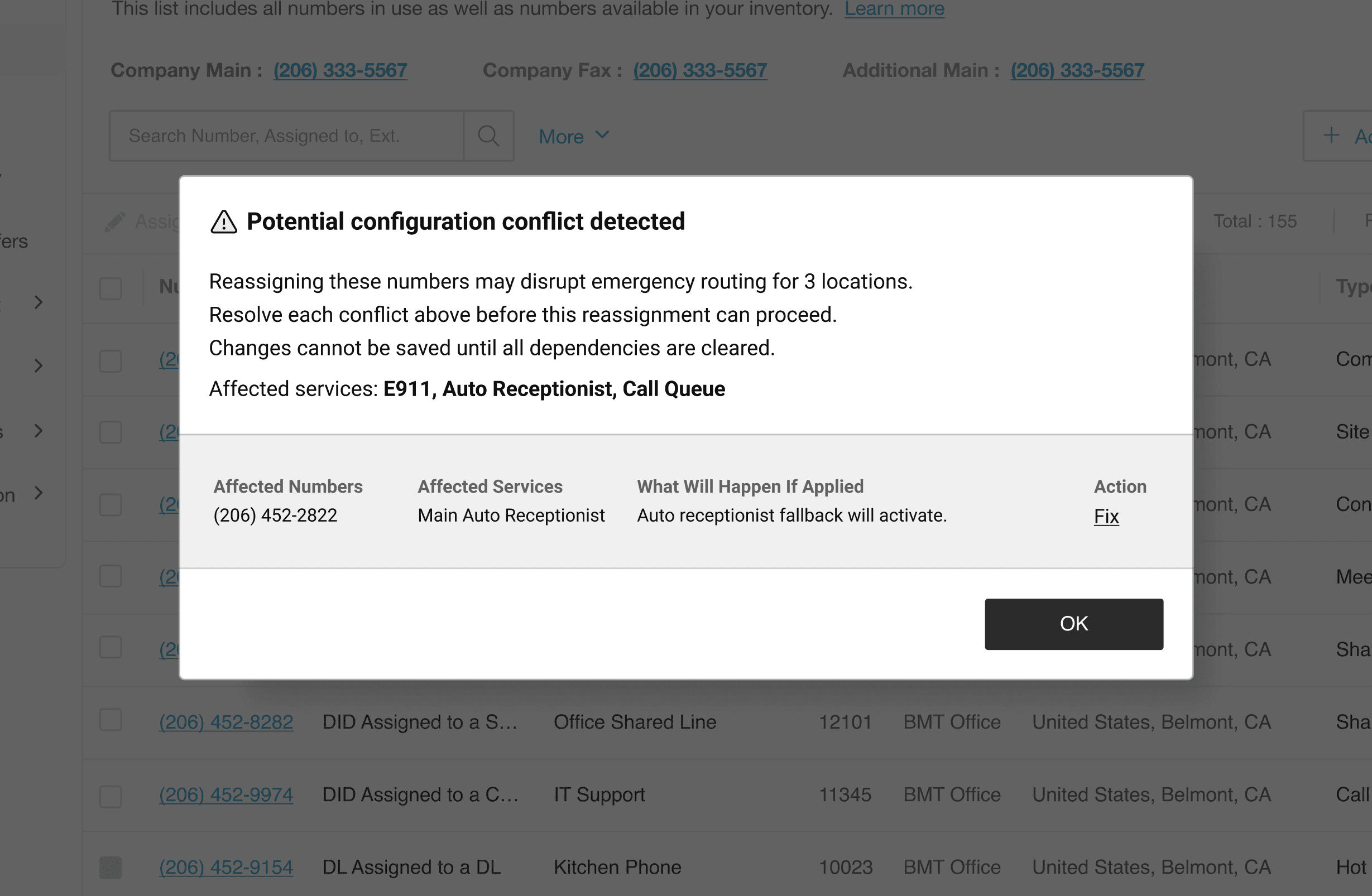
A blocking modal powered by AI conflict detection
When a reassignment triggered a conflict, a modal would fire before the change could be committed — listing every affected dependency and requiring resolution before the admin could proceed. The AI detection was the engine. The modal was the gate.
An expanded settings panel
Persistent visibility into dependency state for every phone number. Not just at the moment of reassignment — always. Admins could see what each number was connected to before they made any change.
A post-change notification system
For misconfigurations that slipped through, an immediate fix workflow surfaced after the change was committed — flagging what broke and providing a direct path to resolution. The logic was sound. Each intervention mapped directly to one of the three research requirements. Dependency visibility, pre-change notification, and a clear path forward — all three addressed, all three working together. On paper, it was comprehensive. The design review passed. The prototype was built.
Testing the Design
"I know what I'm doing — I just need to move the number. Why is the system stopping me? I still have to make this change regardless."
IT Administrator · enterprise account · session 3
Method
Moderated Task-base
Participates
5 IT Admins
Task Given
Reassign a number with active downstream dependencies.
Success Metric
Admins resolves conflict and completes reassignment with out needing to bypass the modal.
5/5
Admins attempted to bypass or dismiss the blocking modal to complete a legitimate reassignment
0
Admins successfully resolved the conflict through the modal flow without expressing frustration or confusion
New Design Strategy
The second design wasn't a rebuild. The infrastructure was right. The detection logic, the severity hierarchy, the communication layer — all of that held.
What changed was the container. Instead of a gate, the AI detection needed a form that informed without controlling. Three decisions defined what that became.
Giving authority to the human.
Blocking Model
AI detection → gate
Informed model
AI detection → banner
The Iterated Design
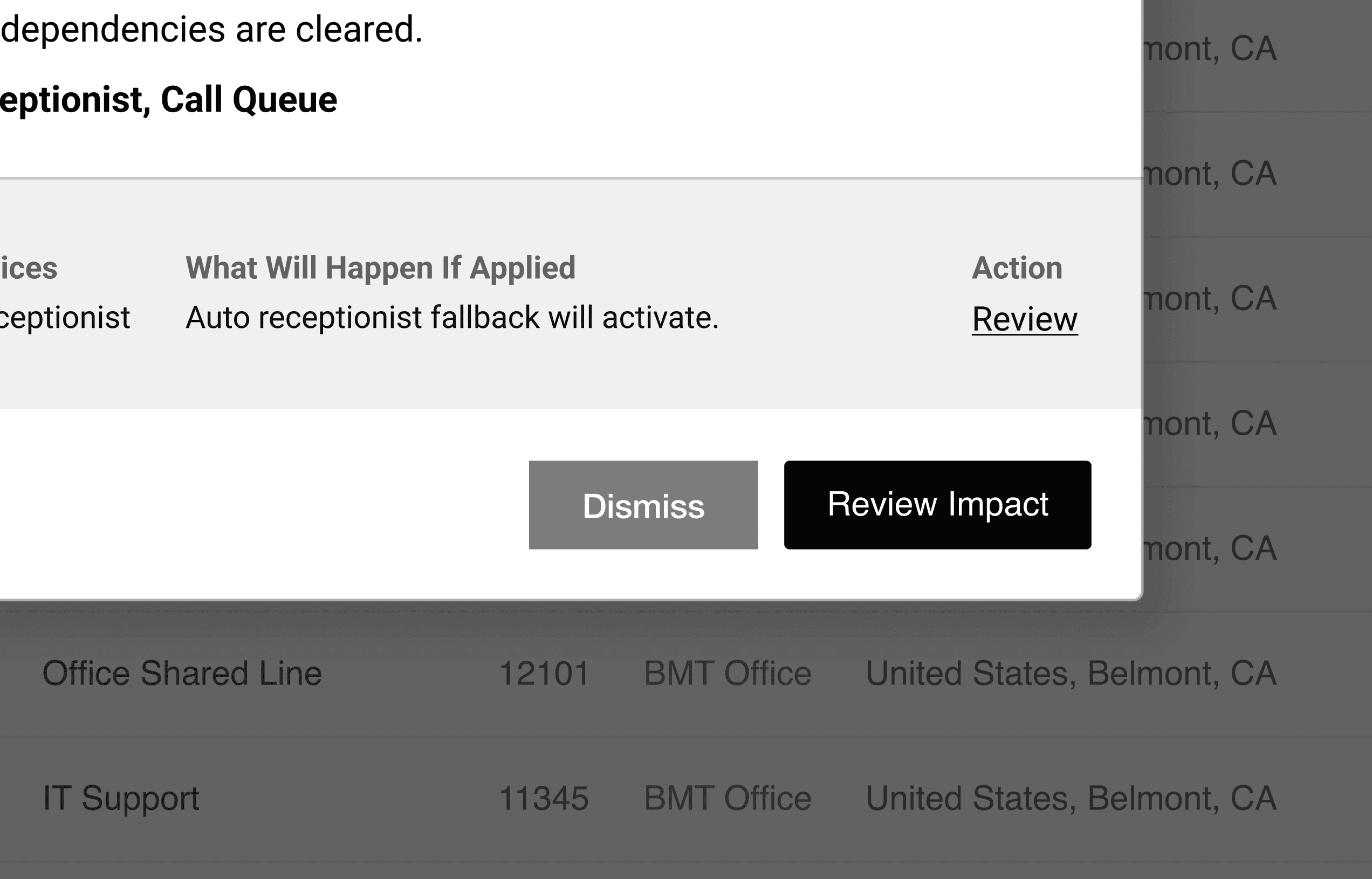
Decision 1. When and how to surface the banner
Decision 2. How much AI reasoning to expose
Decision 3. Dismissal and acknowledgment patterns
Design Solutions
01 — The banner fires before the save

When the admin initiates a reassignment that would create a conflict, the icon doesn't wait. It expands into an alert banner before the save action completes.
02 — The banner surfaces what matters instantly
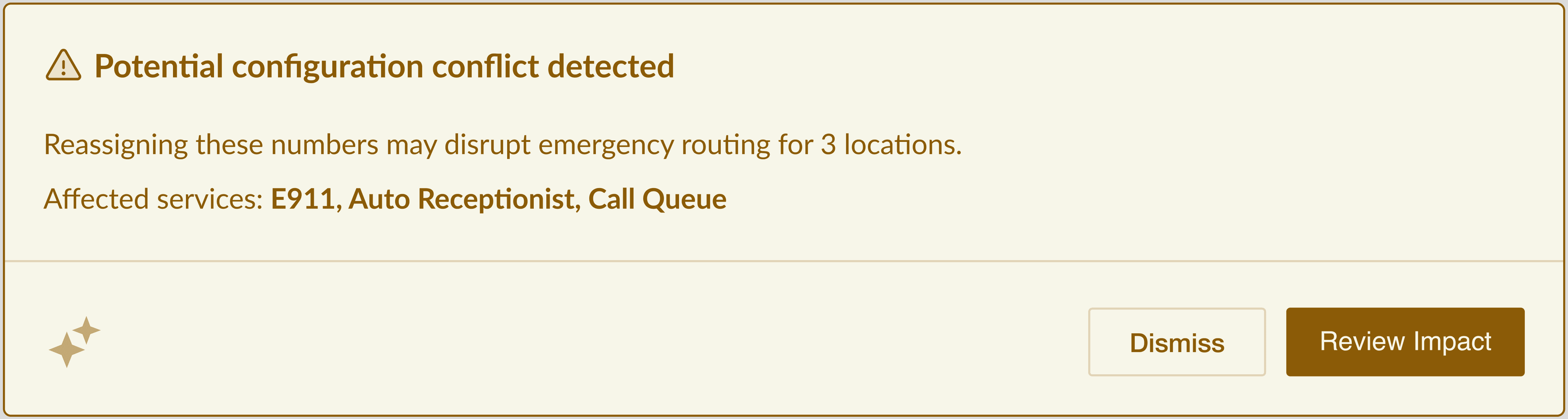
The initial banner state surfaces three things in a single scan: what was detected, what it would affect, and which specific services are at risk.
03 — Review Impact reveals the full consequence layer
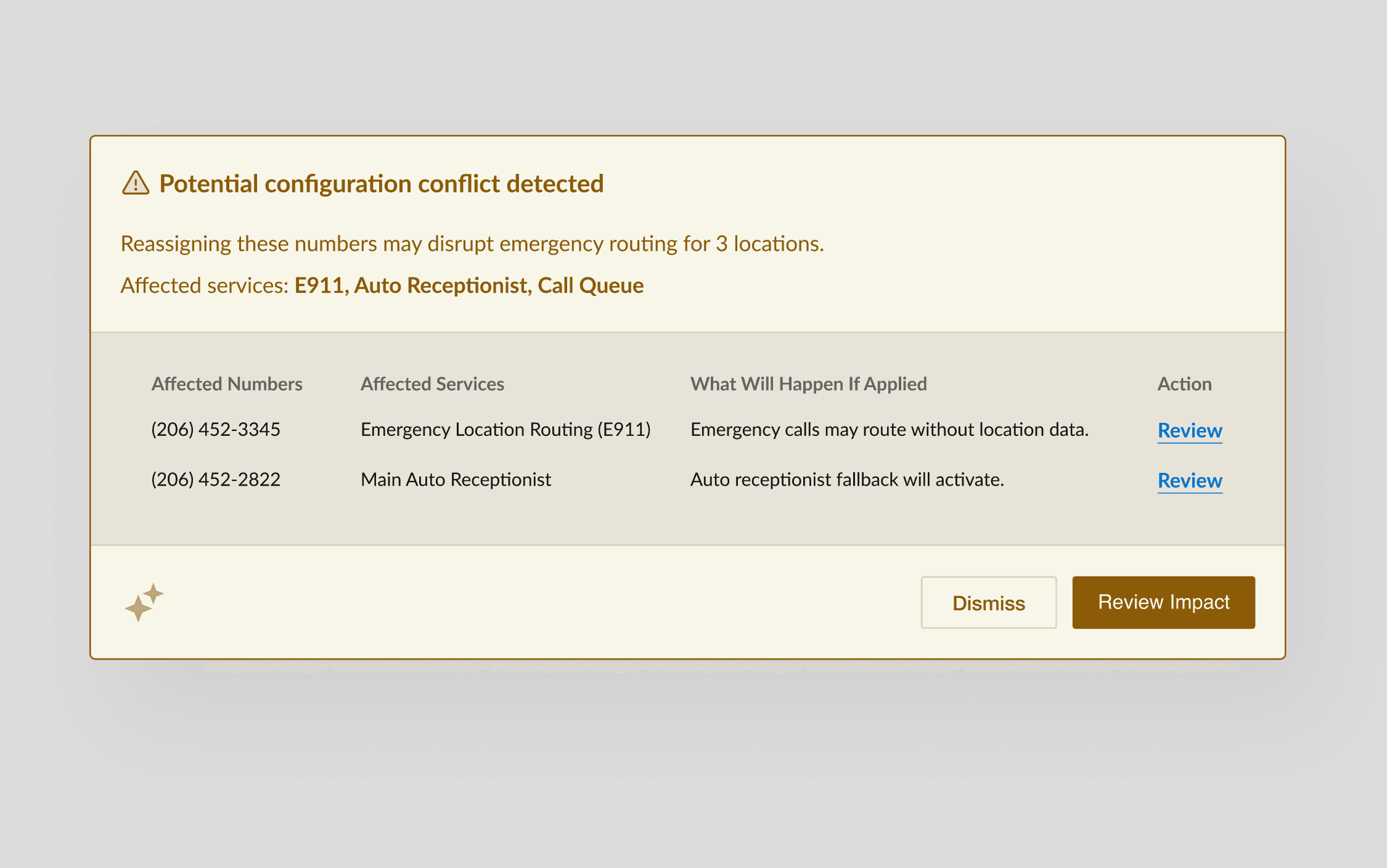
When the admin clicks Review Impact, the banner expands to a structured table: which numbers are affected, which services they're tied to, and a plain-language description of what will happen if the change is applied.
04 — Dismissal leaves a mark

DISMISSED
If the admin dismisses the banner, the icon doesn't return to its default state. It shifts to a persistent caution appearance — warning icon, muted gold background.
05 — Review navigates, not previews
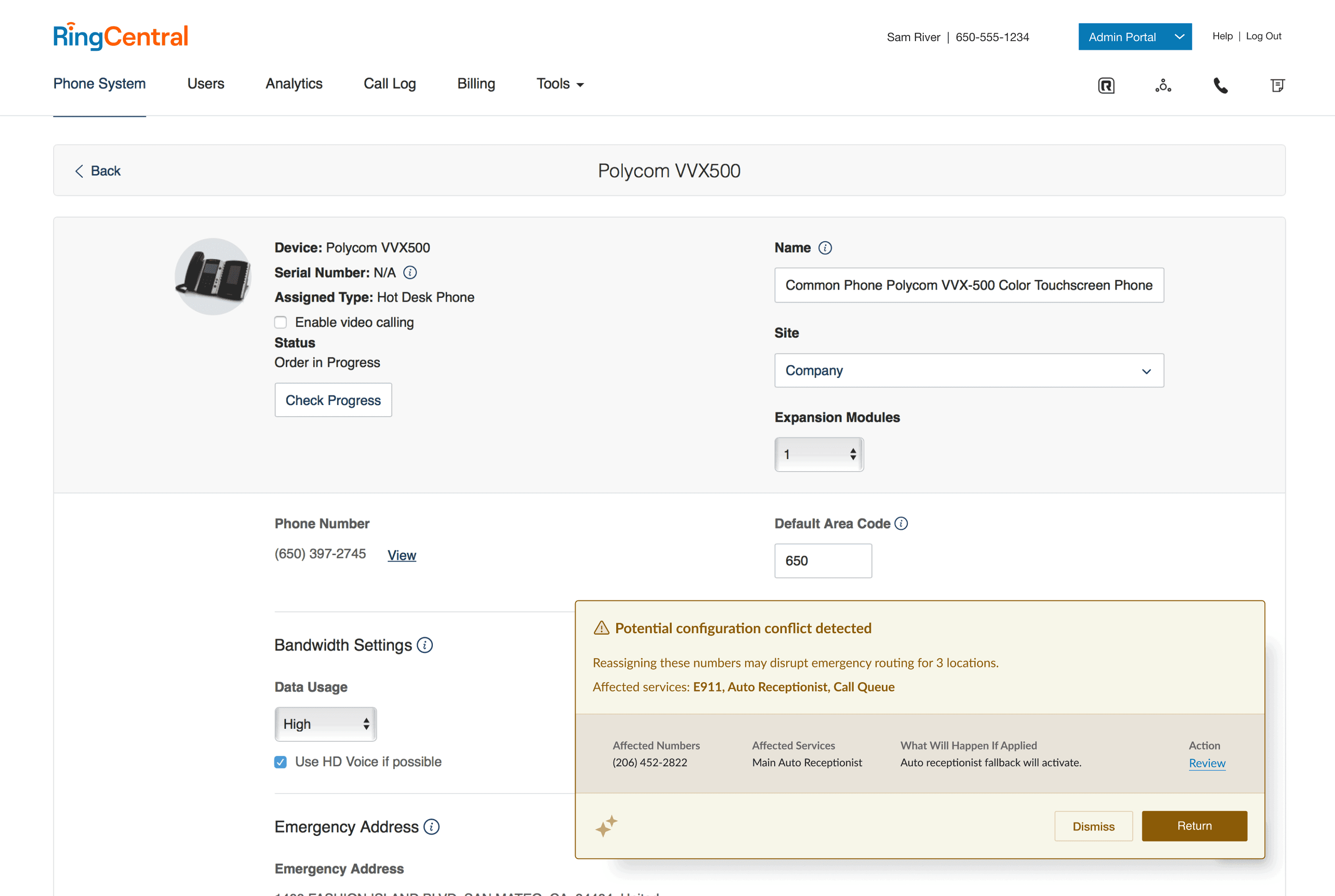
Each row in the impact table includes a Review link that navigates the admin directly to the page where the conflict lives.
Outcomes
configuration-related support tickets per month
The system-level signal. Downstream breaks stopped happening at the rate they had before.
of admins reviewed conflict details before confirming
The behavioral signal. The banner wasn't being dismissed. Admins were reading what they were being shown before they committed.
of flagged reassignments voluntarily canceled
The decision quality signal. Admins received information, processed it, and chose to stop, not because they were blocked, but because they knew something they hadn't known before. No gates. No blocks.